PDP PaperCut user help guide
Welcome to the PDP PaperCut user help guide!
The purpose of this guide is to provide a step by step walkthrough of how to place an order on Papercut.
Step One -
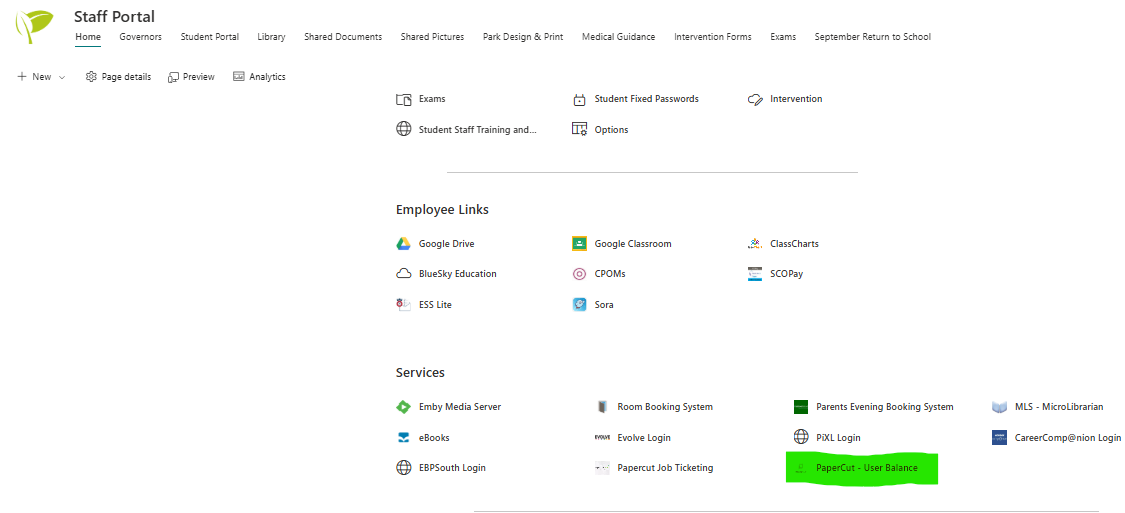
First, you need to open PaperCut. An easy way to do this is through the Park Community School staff portal, you will find it located under ‘Services’.
Step Two -
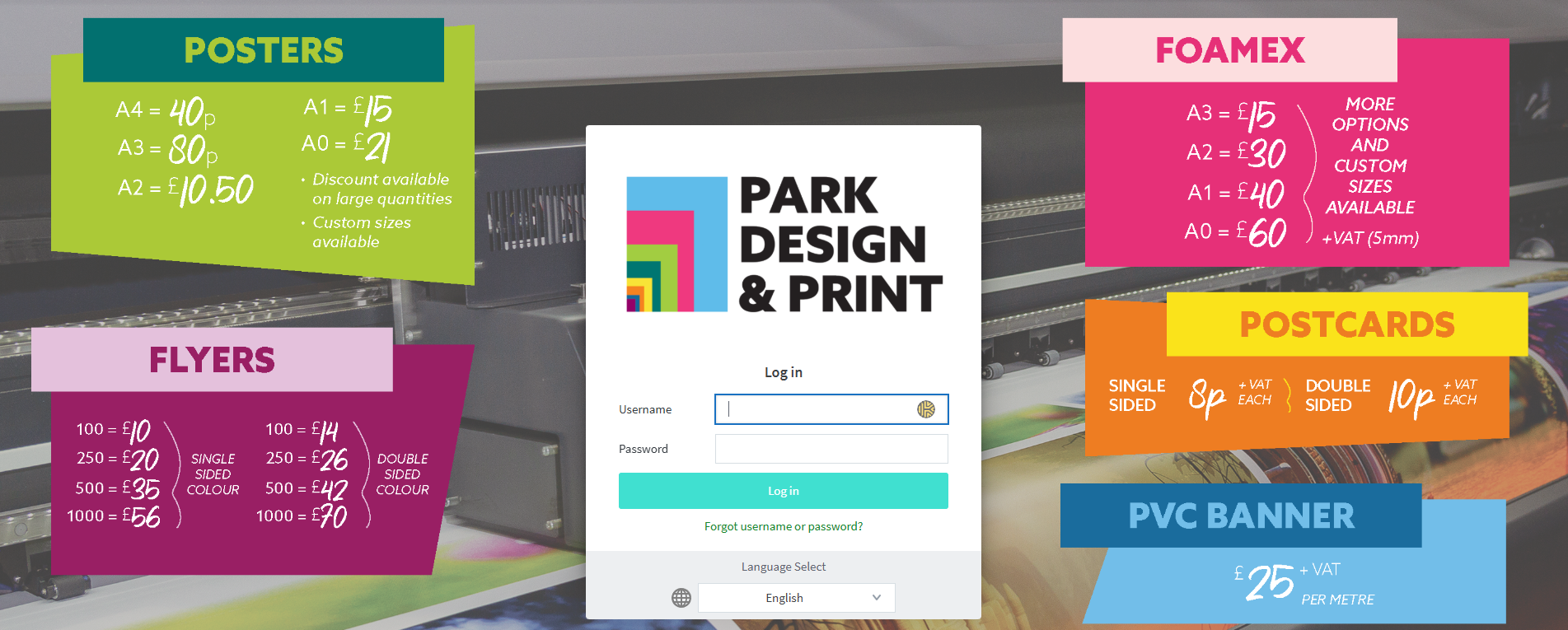
Next, you need to log into PaperCut using your username and password.

Step Three -
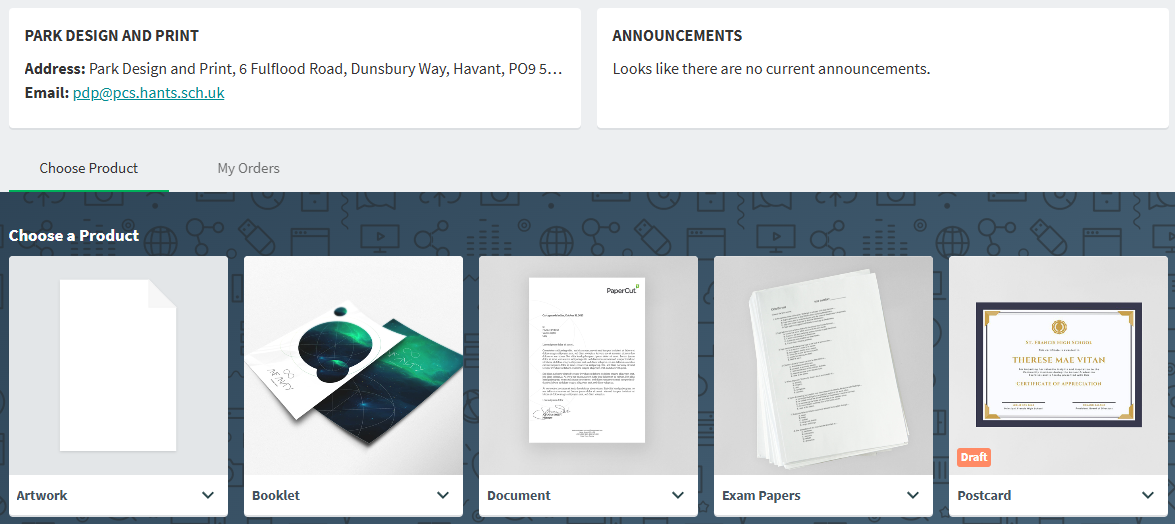
After logging int PaperCut you will have various options of different products to choose from. Please select the job that most accurately describes your order.
Step Four -
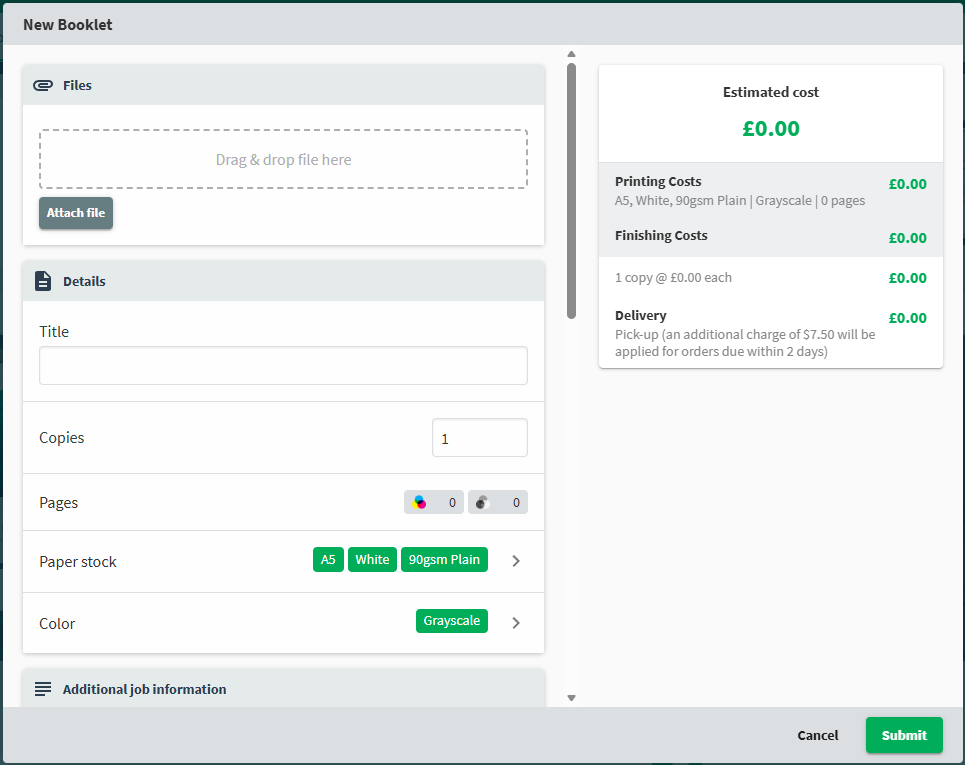
Finally, enter the specifications of the order in the template provided. Any additional details that don’t have a designated heading should be put in the description and submit the order. Attached artwork should preferably be sent as a PDF.

Key terminology:
PaperCut - PaperCut MF is a print management system
Simplex - Single sided
Duplex - Double sided
Foamex - Lightweight, rigid, and durable PVC foam sheet
A series - ISO 216 standard paper sizes, widely recognized and defined by a consistent aspect ratio of √2
Print reference number (Print ref) - An allocated job number used to identify and track print jobs, enquiries will likely be resolved quicker if the print reference number is provided
Our typical turnaround is 3 - 4 working days (subject to the size and complexity of the order). If you require something printed urgently to coincide with a specific event or date, please let us know via our team email and we will do what we can. All jobs placed on 80gsm plain paper, including booklets, won’t be charged. For pricing of other jobs, please refer to our PDP product brochure or contact us for a quote. Site team typically collect orders left on our dispatch self around 11:45am, please keep this in mind if you need something ASAP.
Thank you for taking the time to read this and hopefully we have answered any questions you had and your are now ready to place your order.
Should you have any further questions, please contact us at pdp@pcs.hants.sch.uk.